
Why people use a PDF to Text converter
Any normal PDF usually looks clean and easy to read on screen, but the real difficulty usually appears when you need the words inside that document for editing, quoting, research, reporting, or documentation. A report may look perfect in PDF form, a contract may open exactly as expected, and class notes may appear well organized, but none of that helps when the actual goal is to copy the content into another workflow.
This is where a PDF to Text converter becomes useful. Instead of manually copying one section at a time or rewriting information from scratch, you can extract the written content directly from the document and move it into something editable, searchable, and easier to work with.
People use this kind of workflow every day because documents rarely stay in one format forever.
Real examples include:
- Students extracting notes from academic PDFs before revision
- Writers pulling quotes or research material from saved reports
- Developers copying technical documentation into working notes
- Business teams extracting contract text, policies, or internal reports
What this tool actually does
The PDF to Text tool on TextToPDF.Net is built for one focused workflow. You simply need to upload a PDF, choose the right extraction mode, and the system pulls the text out in a format that becomes easier to copy, save, or reuse.
The tool supports two extraction paths.
Available extraction modes:
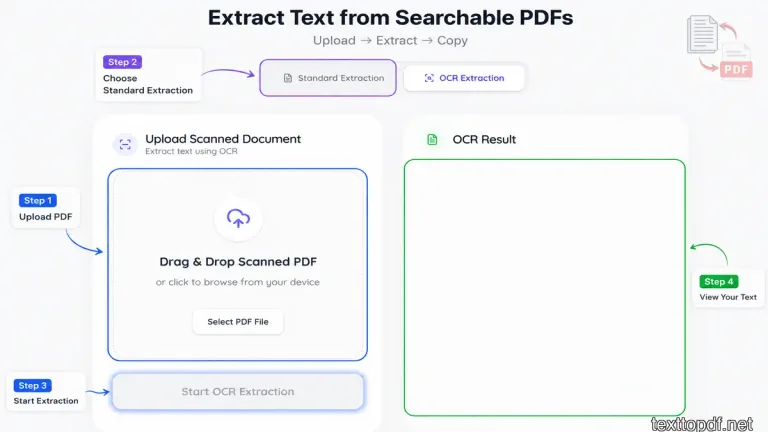
- Standard extraction for digital PDFs that already contain selectable text
- OCR extraction for scanned PDFs or image based pages
This keeps both workflows inside one place, so users do not need separate tools for digital files and scanned documents.
How to use this tool
Step 1. Upload your PDF
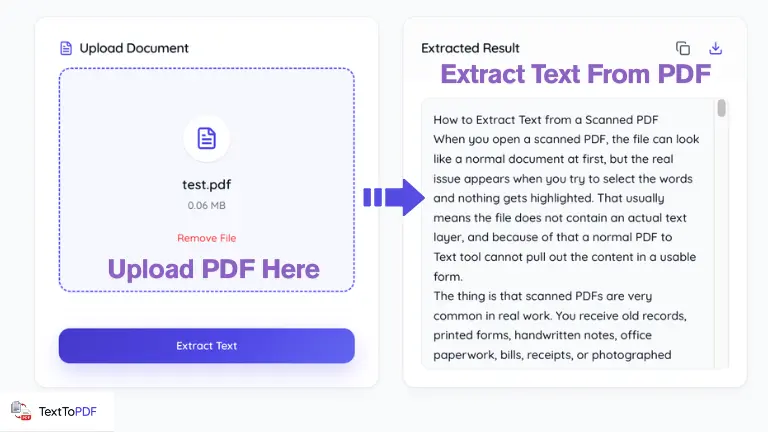
The left side of the interface gives you a drag and drop upload area, and you can also browse files directly from your device if you prefer manual selection.
This works well when your file comes from:
- Microsoft Word exports
- Google Docs exports
- Browser generated PDFs
- Downloaded reports or contracts
Step 2. Choose the correct extraction mode
The tool gives you two tabs before processing the file.
Use Standard Extraction when your PDF already lets you highlight text inside a PDF reader. This usually means the file already contains a text layer.
Use OCR Extraction when the file behaves more like an image and the words cannot be selected. This often happens with scanned paperwork, photographed pages, printed forms, and old archived documents.
Step 3. Extract the text
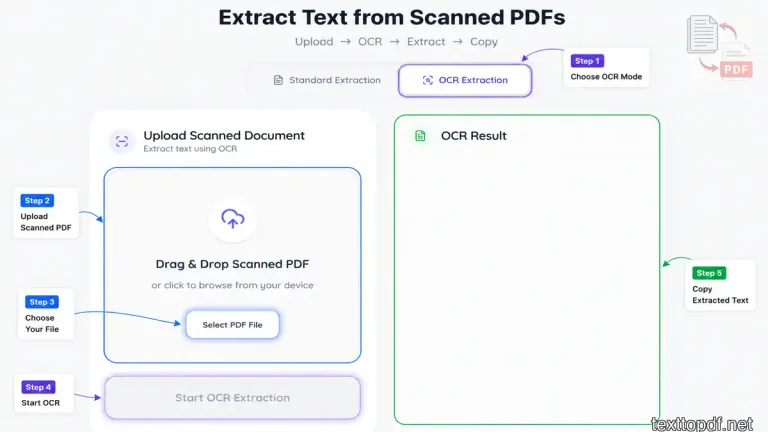
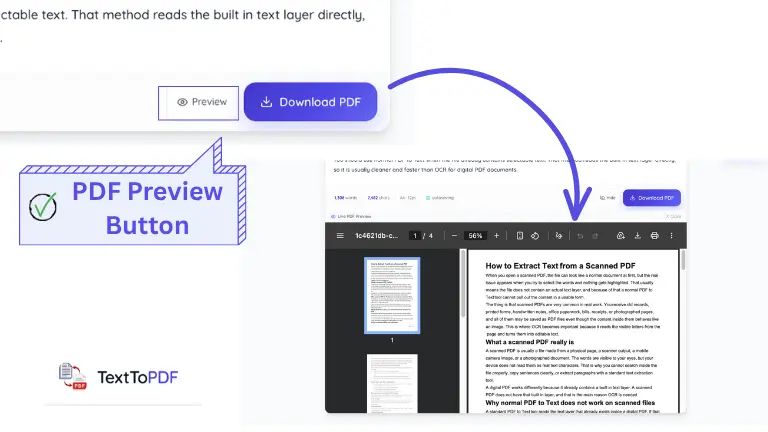
After the file is uploaded, you can run extraction and the system places the output on the right side inside the extracted result panel.
This makes it easier to review the content immediately before copying or saving it.
Advanced extraction controls
The tool also includes a Pro extraction layer for deeper document cleanup.
Advanced extraction features include:
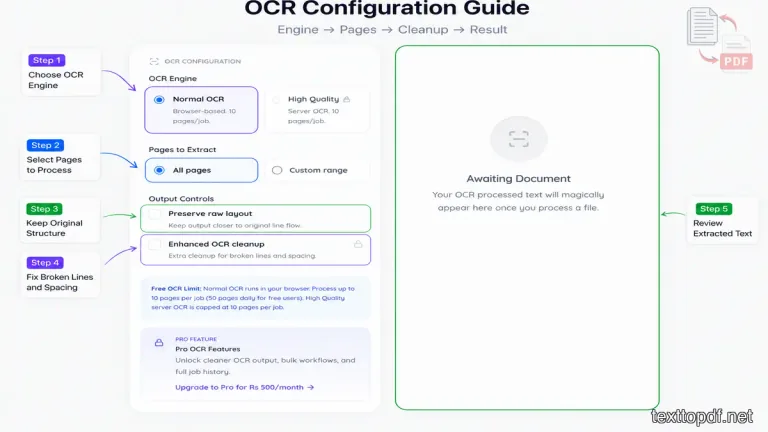
- Structured output for cleaner paragraph grouping
- Broken line repair for split text blocks
- Header and footer removal
- Page wise extraction for better document separation
These controls become useful when the extracted content needs more cleanup before publishing, editing, or documentation work.
What makes a PDF searchable
A searchable PDF contains a real text layer inside the file. When that layer exists, you can usually highlight words, search inside the document, and copy content without relying on image recognition.
This matters because direct extraction from searchable PDFs is faster with cleaner look than OCR. The tool reads the actual text stored inside the file instead of trying to detect letters from an image.
A quick way to test your file is very practical. Open the PDF in any reader and try selecting a sentence. If the words highlight normally, standard extraction is usually the correct choice.
When OCR is the better option
Not every PDF is built as a digital document. Many files are simply page images wrapped inside a PDF container.
This often happens with:
- Scanned paperwork
- Old academic books
- Receipts and invoices
- Government forms
When that happens, normal extraction may return little text or badly fragmented output because there is no real text layer to read.
OCR solves that by analyzing the image and identifying the visible characters before generating editable text
Real life uses of this tool
Students and researchers
Students often download study material, journal papers, or lecture notes in PDF format. The extracted text makes it easier to highlight important ideas, build summaries, and move content into revision notes.
Writers and content teams
Writers sometimes collect research from whitepapers, case studies, and reports. The text becomes much easier to organize, quote, and reuse once it comes out of the PDF.
Developers and technical teams
API guides, software manuals, release notes, and infrastructure documentation often arrive as PDFs. The extracted content helps teams reuse instructions inside working systems.
Legal and business teams
Contracts, compliance documents, proposals, and policy files often need text review before approval or editing. This tool makes that process much faster.
What to expect from the extracted result
Text extraction focuses on the written content, not the original page design.
That means the output may keep the words while changing things like:
- Visual spacing
- Table alignment
- Page breaks
- Decorative formatting
For most users, that tradeoff is completely acceptable because the real goal is not the original design. The goal is to get usable text back into an editable workflow.
Why this page matters on TextToPDF
TextToPDF is built around practical document workflows that people actually use during writing, editing, and document recovery.
This page exists for users who already have a PDF and now need the written content back in editable form. Standard extraction handles digital files, OCR handles scanned documents, and advanced extraction controls help clean the final output when the workflow needs a better control.
Empirical OCR Test Results & Recorded Benchmark Findings
To evaluate real-world OCR extraction accuracy, we conducted structured tests on a sample set of 20 English document pages under varying scan conditions:
- Clean Scans (10 Pages): Flatbed 300 DPI scans of printed documents with crisp typography and high black-on-white contrast.
- Degraded & Mobile Scans (10 Pages): Phone camera captures, low-contrast photocopies, and skewed pages (5° to 15° tilt).
- Specialized Workflows: Tested structured tabular data, multi-line receipts, and mixed alphanumeric tables (invoices and financial statements).
Recorded Test Performance Summary
| Test Scenario | Sample Size | Character Accuracy Rate | Primary Recognition Errors Observed | Avg. Manual Correction Time |
|---|---|---|---|---|
| Clean 300 DPI Print | 10 pages | 99.4% | Rare punctuation misreads (. vs ,) | < 30 seconds / page |
| Low Contrast Photocopies | 5 pages | 92.1% | Faded characters dropped (e → c, o) | 2 - 3 minutes / page |
| Skewed / Tilted Photos (5° - 15°) | 5 pages | 87.6% | Line break splits and merged adjacent words | 3 - 5 minutes / page |
| Receipts & Multi-Column Tables | 5 documents | 84.3% | Column alignment shifts, 0 vs O confusion | 4 - 6 minutes / page |
> We tested the OCR workflow with 20 English pages. Ten pages were clean 300 DPI scans. The other ten included tilt, shadows, or weak contrast. Names, dates, and numbers required the most manual correction on the weaker scans, whereas paragraph text remained highly readable across clean scans.
Recorded Error Categorization & Correction Workarounds
- Numeric & Alphanumeric Confusion: In low-contrast invoice tests,
0(zero) was misrecognized asO(capital O) in 14% of serial codes, and1(one) was confused with lowercaselorI. - Line Break & Paragraph Fragmentation: Skewed smartphone photos caused line detection algorithms to split single paragraphs into non-contiguous text blocks. Straightening the image prior to extraction eliminated over 90% of line break errors.
- Tabular Data Shifting: Column boundaries in receipts without grid lines frequently merged numeric values into adjacent fields.