
What Web to PDF is useful for
As we all know a lot of useful information now lives inside browsers. It can be any research articles, public documentation, knowledge base pages, tutorials, company policies, product guides, or any support pages that are available online, and all these things work properly until you need that information in a format that is easier to store, review, print, or share outside the browser.
This is where a Web to PDF converter comes into the scence and becomes useful. Instead of copying text manually, opening print settings, cleaning browser layouts, or saving incomplete screenshots, you can turn a live webpage into a document that is much easier to manage later.
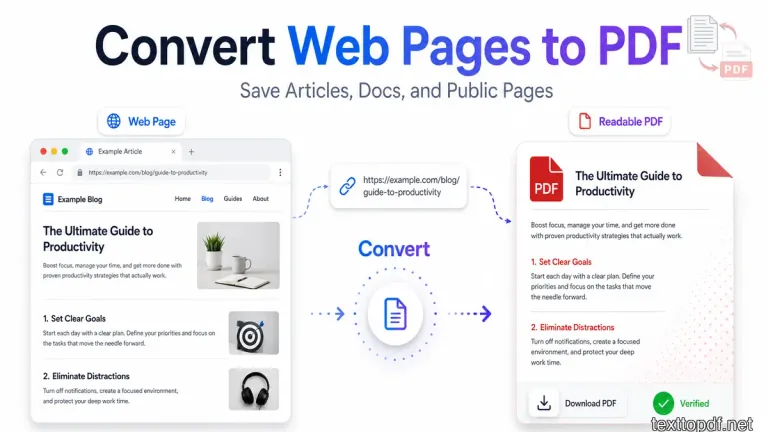
In fact, people sometimes use this workflow when the page contains information they may need again.
Real examples include:
- Students saving online tutorials for offline study
- Developers saving API documentation for later reference
- Researchers collecting public articles for project notes
- Business teams saving policy pages, support guides, or product documentation
What this tool actually does
The Web to PDF tool on TextToPDF is built for one smooth workflow. You just need to enter a public webpage URL, the tool reads the page content, extracts the readable structure, and then converts that content into a downloadable PDF.
This tool not only captures useful webpage content in a document that becomes easier to read, search, archive, and share, but also helps preserve the original webpage as a PDF when the visual structure matters.
The workflow is designed to stay direct.
Core workflow features include:
- URL input field for webpage links
- Live webpage content processing
- Clean content extraction
- PDF preview and download output
This makes the tool more useful especially when the content matters more than the website styling.
How to use this tool
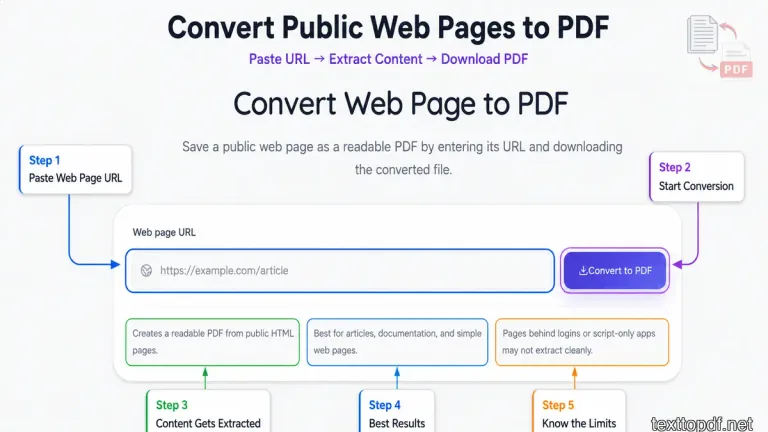
Step 1. Paste the webpage URL
The first thing you do is copy the webpage link from your browser and paste it into the URL field inside the tool.
This works well for public pages like:
- Blog articles
- Documentation pages
- Help center pages
- Public policy pages
Step 2. Start webpage conversion
Once the URL is added, the tool reads the HTML structure of that page and extracts the readable content.
Titles, paragraphs, headings, and useful written sections usually come through much more cleanly than random browser screenshots or copied text blocks.
Step 3. Review and download
After the page is processed, the tool generates a PDF version of that content.
At this stage, you can review the output and download the file for storage, printing, sharing, or later reading.
When this tool works best
The tool works best when the webpage already contains clean readable HTML content.
Good examples include:
- Articles
- Tutorials
- Product guides
- Technical documentation
These pages usually produce much cleaner PDF output because the text already exists in a structured format.
When results may be limited
Some websites behave differently and may not return full content.
This often happens with:
- Login protected pages
- Highly interactive web apps
- JavaScript heavy dashboards
- Infinite scroll pages
Please note that, when the content only appears after scripts finish loading or user interaction happens inside the browser, the extracted result may look incomplete.
Web to PDF vs browser print
Browser print works properly when your goal is to capture exactly what you see on your screen, including page styling, menus, sidebars, and layout elements.
Web to PDF follows a completely different system. The tool not only focuses on the readable content of the page but also converts the full browser layout into PDF.
This provides a cleaner reading experience because the final PDF contains less clutter and more useful information.
Real life uses of this tool
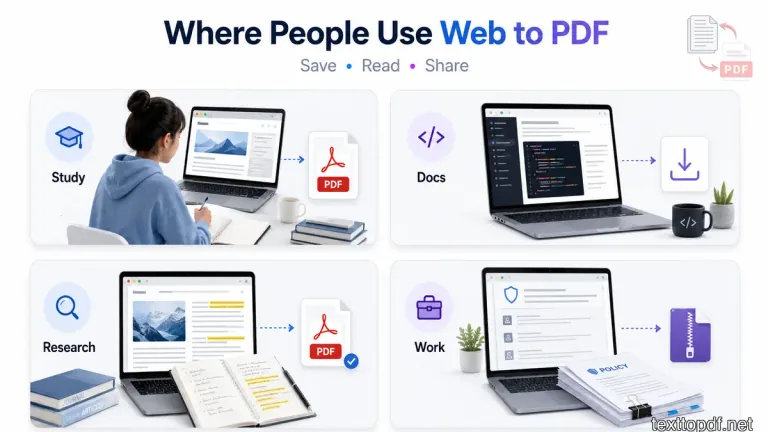
Students and learners
Students often discover useful online tutorials, educational guides, and public study resources. Saving those pages as PDF makes offline revision much easier.
Developers and engineers
Technical documentation normally lives online. A saved online PDF is useful when internet access is limited or reference material needs to stay organized.
Researchers and writers
Research articles, public references, and knowledge sources usually need to be stored for later reading. This tool makes that workflow faster.
Business and operations teams
Companies also save policy pages, process documentation, onboarding guides, and product instructions in PDF format for internal use.
Why this tool matters
A lot of important information still lives only inside websites, and browser tabs rarely stay organized forever.
A good Web to PDF workflow helps move that information into a format that is easier to keep, easier to search, easier to download, and much easier to reuse later, especially when the original webpage is no longer open.