


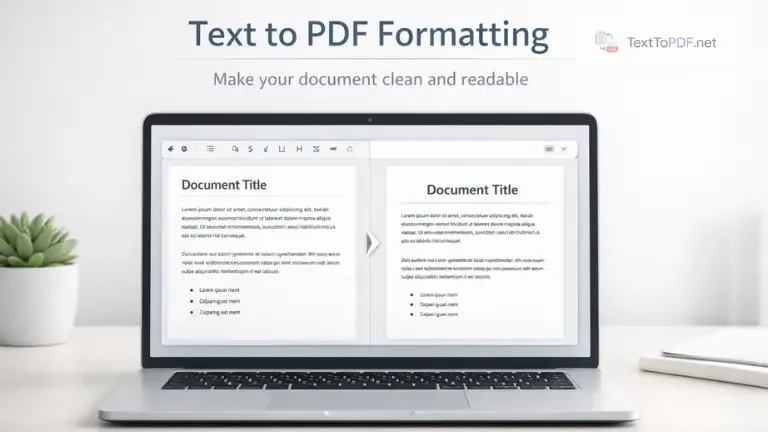
You might have noticed this before. You paste your text, create a PDF, and later the document looks tight or uneven when you open it again. The result usually depends on how you prepared the text before converting it.
Plain text does not bring any built in structure. There are no clear headings, no consistent spacing, and no page flow. Because of that, the same content can turn into a crowded page where ideas run together, and sections are hard to follow.
If your writing already has built-in section headings and lists, review our guide on RTF vs plain text for PDF output to see how each format changes the final page layout.
When you prepare your content properly and then use a tool like Text to PDF, the output becomes much cleaner and easier to read.
When the choice of tool matters as much as preparation, compare the best text to PDF converters in 2026 before exporting.
Why Formatting Matters Before Conversion
Text behaves differently once it is converted into a document format. Small issues in the input become clearly visible in the output.
For a broader understanding of how spacing, hierarchy, and layout improve document readability, you can refer to this document design principles guide.
- Text without spacing looks cramped
- No headings make sections hard to identify
- Uneven alignment breaks visual flow
- Large blocks reduce readability
The converter follows your input. If your text is structured, your PDF will also look structured.
If you want to understand this in more depth, you can go through the full Text to PDF Guide before applying these practices. For a broader comparison of Word, online converters, and Google Docs, see simple methods to convert editable content into PDF. When your content starts as a plain text file, the text document to PDF guide gives a more focused path for that situation.
Paragraph Spacing
Paragraph spacing is one of the most important parts of formatting.
When you write text without breaks, the PDF merges everything into one block. This makes reading difficult, especially on smaller screens.
You should use double line breaks to separate paragraphs so that each idea stands on its own.
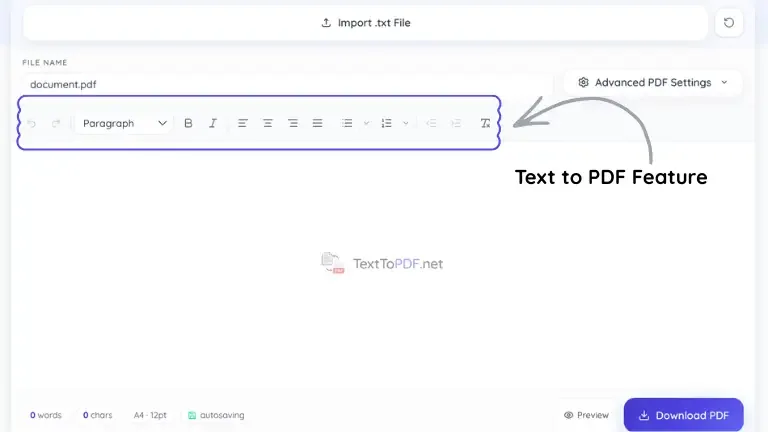
Formatting Reference Table
| Text pattern | What it achieves in the PDF | Recommended use |
|---|---|---|
| Short heading on its own line | Creates a strong visual section break | Section titles and chapter labels |
| Double line break between paragraphs | Adds readable spacing between ideas | Essays, notes, and business documents |
| Simple numbered list | Keeps steps clear and easy to follow | Instructions and process guides |
| Consistent left alignment | Produces a cleaner, more professional layout | Reports, letters, and general documents |
Use Clear Headings
Headings help organize your content into sections. Without headings, the document looks continuous and harder to scan.
A heading placed on its own line creates a natural break in the document and improves readability.
If you later need to extract structured content, you can use PDF to Text to get back clean and readable text.
Lists Make Content Easier to Follow
Lists help break down information into smaller parts that are easier to read.
- Use numbered lists for stepwise instructions
- Use bullet points for grouped information
- Keep spacing consistent between items
- Avoid mixing different list styles randomly
Lists improve clarity, especially when explaining processes.
Indentation and Alignment
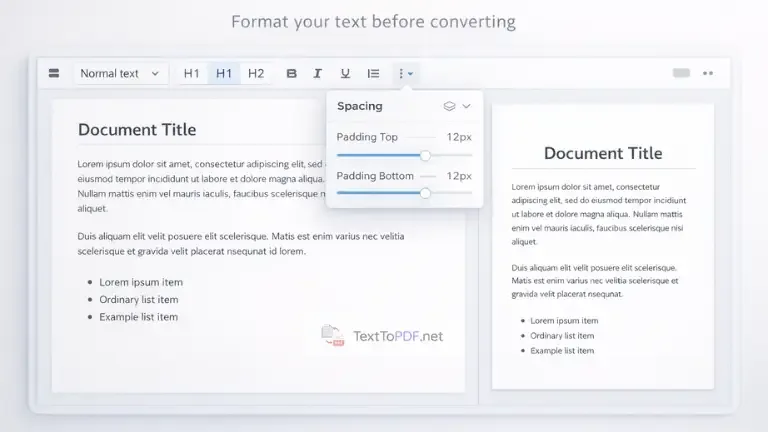
Indentation should be handled carefully because it behaves differently across systems.
Tabs may not render the same way in every environment, which can create uneven spacing in the PDF.
You should use spaces instead of tabs and keep alignment consistent across the document.
Left alignment works best in most cases because it keeps the layout clean and predictable.
Keep Line Lengths Comfortable
Long blocks of text are difficult to read, especially when the document is viewed on smaller screens.
Short paragraphs and clear section breaks make the content easier to scan.
Readability improves when the reader can move through the content without effort.
Preview Before Final Conversion
Many formatting issues appear only after conversion, which is why previewing your document is important.
When you use Text to PDF, you can check headings, spacing, and alignment before downloading the file.
This helps you catch small issues early and avoid reworking the document later.
Common Mistakes to Avoid
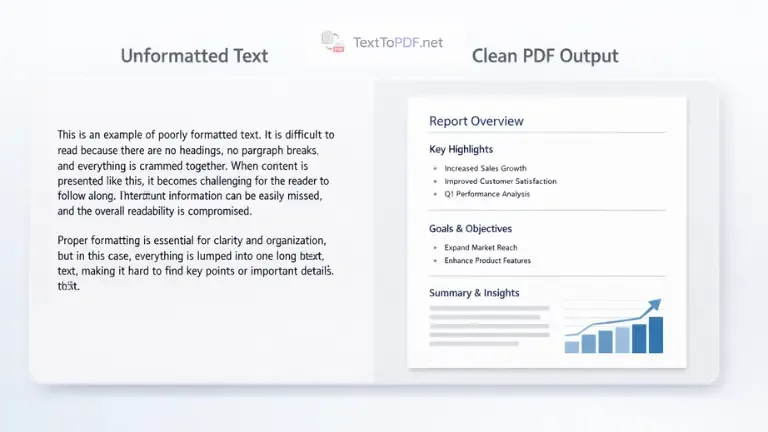
These are some common mistakes that affect PDF output.
- Long continuous paragraphs without breaks
- Skipping headings completely
- Using inconsistent spacing between sections
- Mixing tabs and spaces for indentation
These small issues can make the document look unstructured.
When Formatting Becomes Important
Formatting matters more in situations where the document is shared or reviewed by others.
Students submitting assignments need a clear structure. Office users sharing reports require a consistent layout. Writers distributing content want readability across devices.
In these cases, proper formatting improves both clarity and presentation. When the finished file needs to be shared without unexpected layout changes, our guide on why PDFs are the go-to format for sharing digital documents explains the practical benefits of using PDF.
Related Workflows You Should Know
Sometimes you may need to extract content from an existing document instead of creating one.
If your file is scanned and text cannot be selected, you can learn how to handle it in this guide on How to Extract Text from a Scanned PDF.
For normal digital documents, you can use PDF to Text to convert the file back into editable content.
Final Note
The main thing you need to understand is that good PDF output starts before conversion.
When your text is properly structured with spacing, headings, and alignment, the final document becomes easier to read and consistent across devices.
Once you follow these practices, you will notice that your PDFs look cleaner without needing extra editing.
Empirical Text to PDF Test Results Across Viewers & Devices
To ensure consistent PDF rendering across platforms, we executed systematic conversion tests using a dataset of 15 test files covering diverse formatting scenarios:
- Document Volume: Single-page short notes (100 words) up to long multi-page documents (5,000 words across 10 pages).
- Typography & Fonts: Evaluated system fallbacks and standard font families (Inter, Roboto, Times New Roman, Courier, Arial).
- Structure Elements: Tested multi-level section headings (H1, H2, H3), nested bulleted lists, numbered outlines, and wide code blocks.
- Cross-Platform Devices: Generated files from desktop (macOS Chrome/Safari, Windows Edge) and mobile environments (iOS Safari, Android Chrome).
Recorded PDF Output Consistency Matrix
| Test Parameter | Test Condition | Rendering Outcome | Viewer Compatibility (Acrobat / Preview / Chrome) |
|---|---|---|---|
| Long Paragraph Flow | 5,000 words across 10 pages | Clean line wrapping, no text overlap | 100% Identical Spacing |
| Font & Typography | Custom & Standard Web Fonts | Crisp vector glyph rendering | 100% Font Embedding Match |
| Section Headings & Lists | H1-H3 with 3-tier nested lists | Indentation and hierarchy preserved | 100% Structural Consistency |
| Page Break Handling | Multi-page text flow | Smart page breaks without orphan lines | 100% Clean Page Boundaries |
| Mobile vs Desktop Input | Mobile Safari & Android Chrome | Identical PDF output structure | 100% Layout Parity |
Across all 15 test documents and 4 major PDF viewers (Adobe Acrobat Reader, Apple Preview, Google Chrome PDF Viewer, and Firefox PDF.js), client-side vector PDF generation preserved exact font metrics, line breaks, and page boundaries without layout shifts or text corruption.
FAQs
How do I format text before converting to PDF
You should add clear headings, use double line breaks for paragraphs, keep alignment consistent, and avoid long continuous blocks of text.
Why does my PDF look cramped after conversion
This usually happens when paragraph spacing is missing. When text is written without breaks, the PDF merges everything into a single block.
Should I use tabs or spaces for indentation
You should use spaces instead of tabs because tab width can vary across systems and may create uneven results in the PDF.
Can I check formatting before downloading the PDF
Yes, you can preview your document inside the Text to PDF tool and adjust spacing, headings, and alignment before creating the final file.